Sending SMS
Text customers in your directory — one at a time or in bulk — without ever seeing a phone number.
Overview
The SMS feature sends text messages to customers in your customer directory through an external SMS provider. You pick customers by name or code; Relay resolves the number on the server and sends — the number is never shown, exactly like the inbox. Sending to one customer or to many is the same action.
Sending SMS needs the Send SMS permission (managers always have it; agents are granted it per-agent — see Agents & permissions), and SMS must be set up for your workspace (below). When both are true, an SMS item appears in the top bar.
Choosing your SMS service
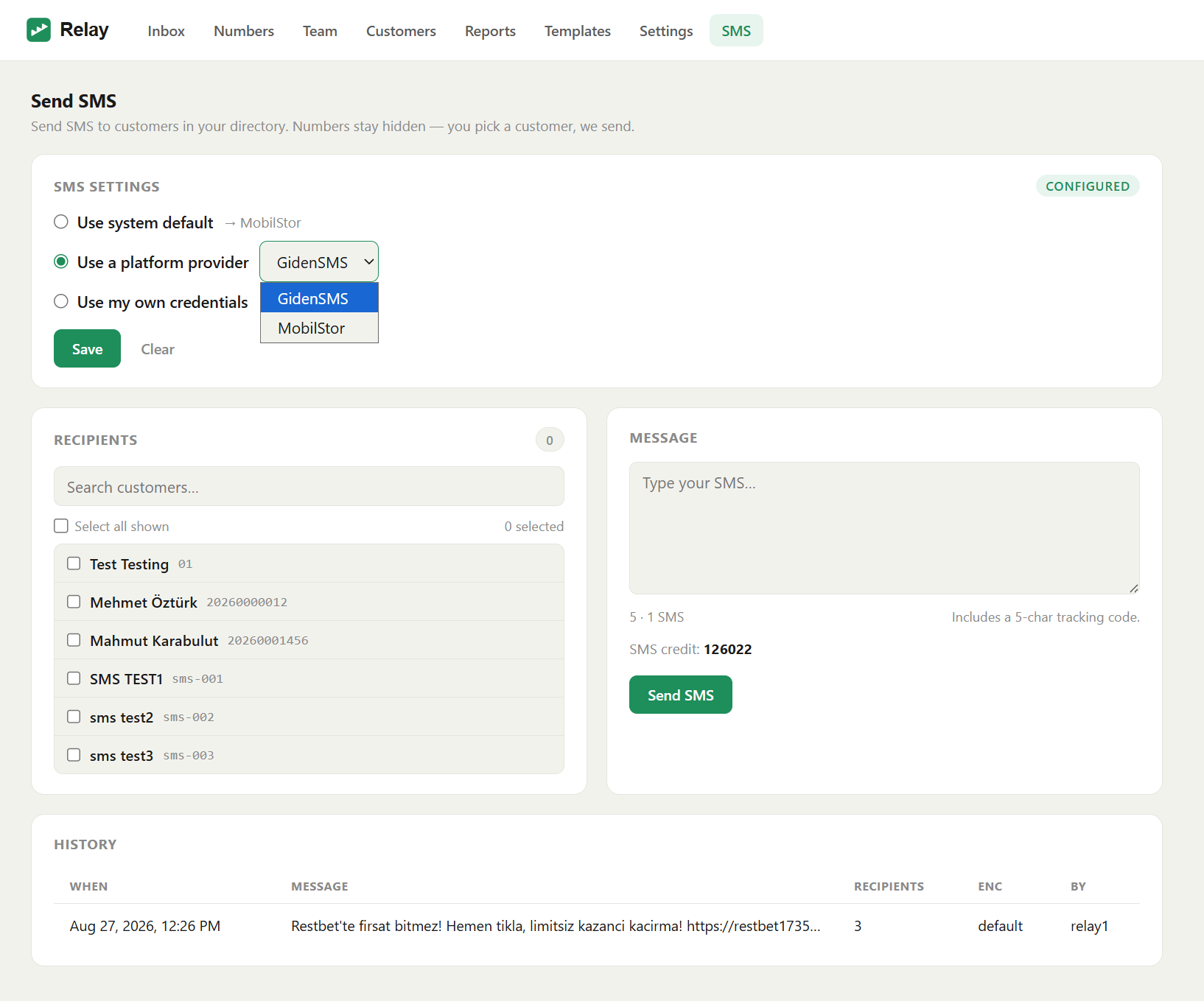
A manager decides how the workspace sends SMS, in SMS settings on the SMS page. There are three choices; pick one and click Save.
Use system default — send through the provider your administrator set as the platform default (shown next to the option). Nothing to enter. This is the usual choice.
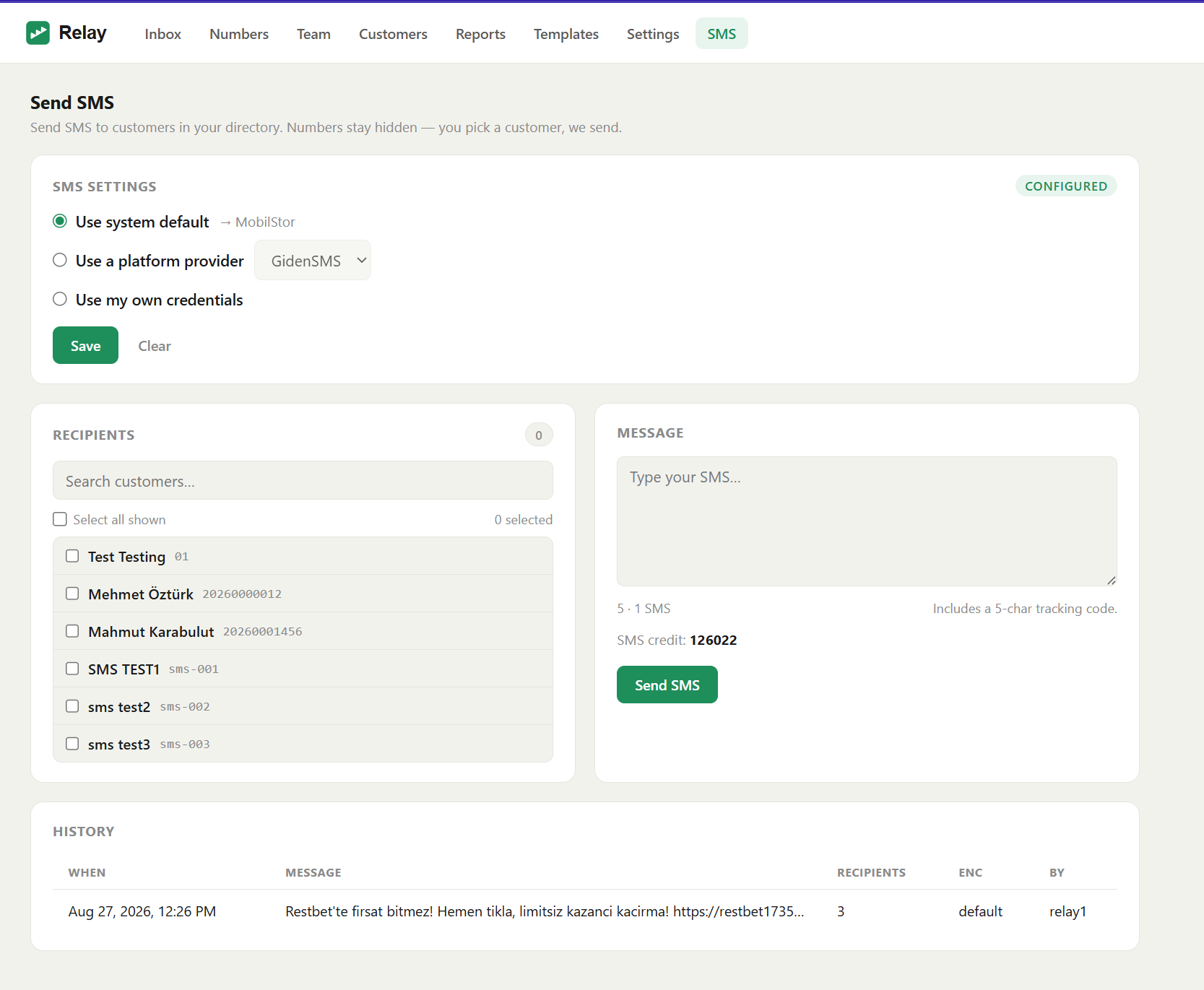
Use a platform provider — pin a specific provider your administrator has configured, using the platform's account. No API key needed.
Use my own credentials — enter your own provider, sender header, and API key, for a workspace that has its own SMS account.
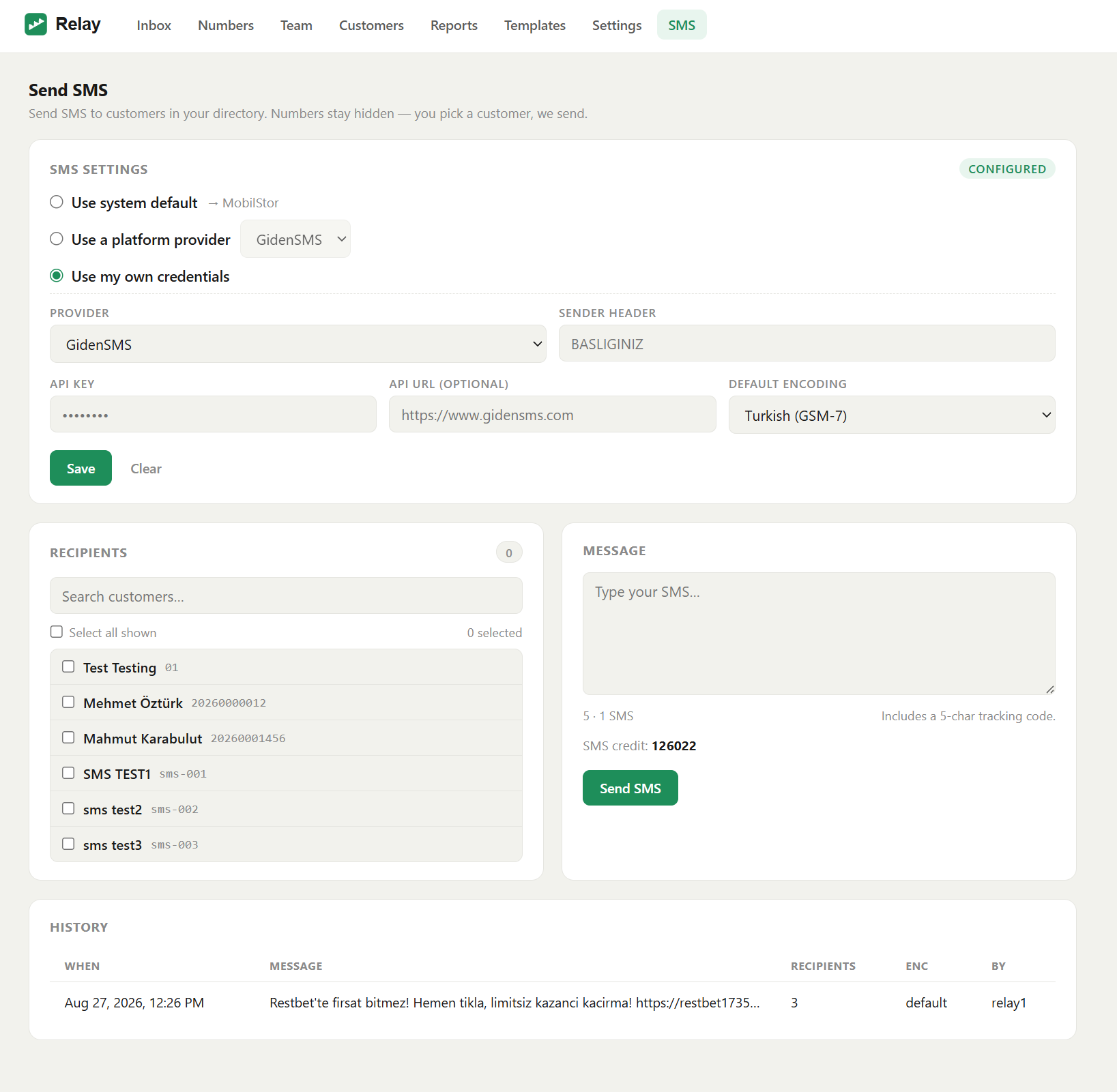
Note: With system default or a platform provider you never handle an API key — your administrator manages the credentials. Only my own credentials asks for one.
Send an SMS
-
Open SMS from the top bar.
-
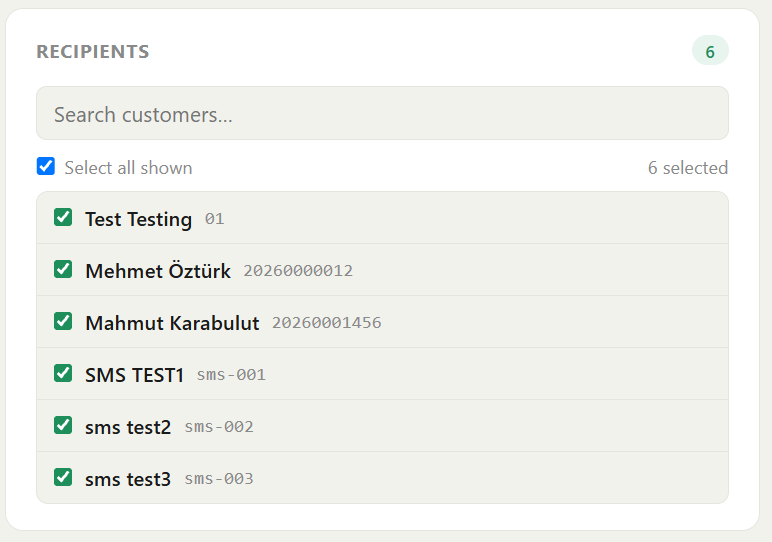
Pick recipients. Search the directory and tick the customers you want. Rows show the name or code only — never a number. Use Select all shown to take everyone in the current filter; the selected count updates as you go.
-
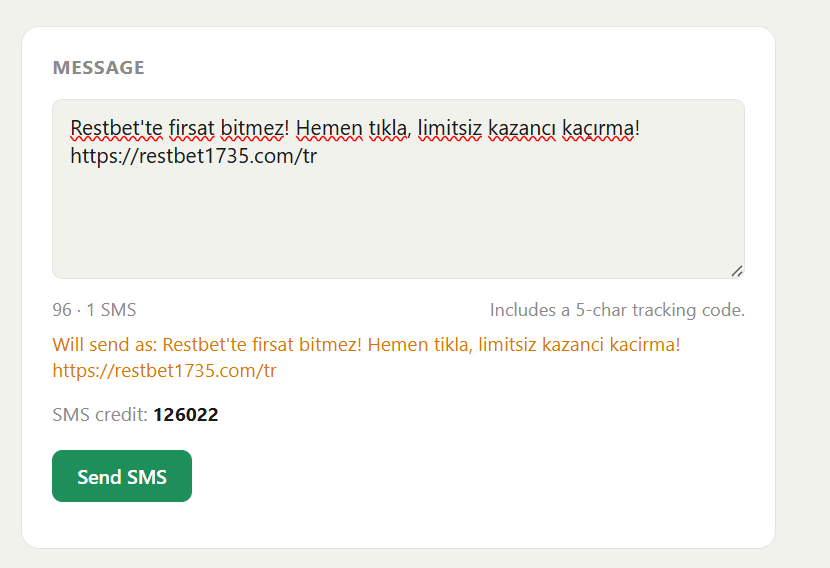
Write your message. Type in the message box. A live counter shows the character count and how many SMS segments the message will use.
-
Turkish text. If your provider is Latin-only (for example MobilStor), Relay shows a "Will send as…" preview that converts Turkish letters to their Latin equivalents (ş→s, ğ→g, ö→o, ı→i, ç→c, ü→u) and counts on that converted text. Providers that support Turkish (for example GidenSMS) send it unchanged. The conversion only ever affects the message body.
-
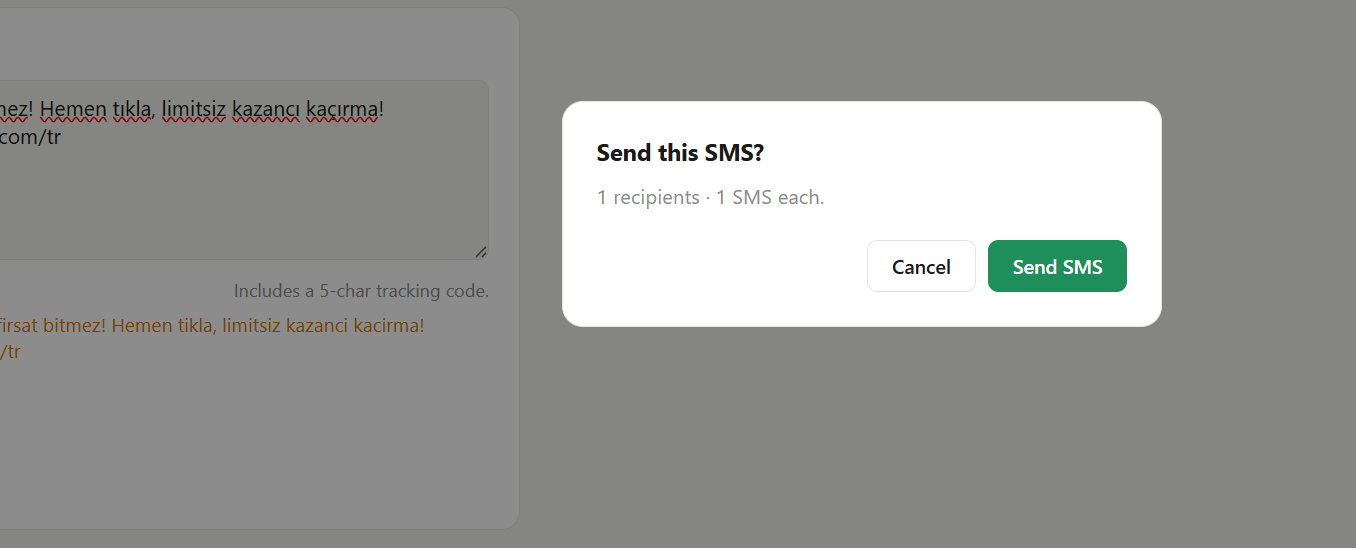
Review and send. Click Send SMS. A confirmation shows how many recipients will get it and how many segments each message is. Confirm to send.
Credit and history
The compose screen shows your provider's remaining SMS credit, so you know you can send.
History lists past sends — the message, how many recipients, when, and who sent it. Like everywhere else, it never shows a phone number.
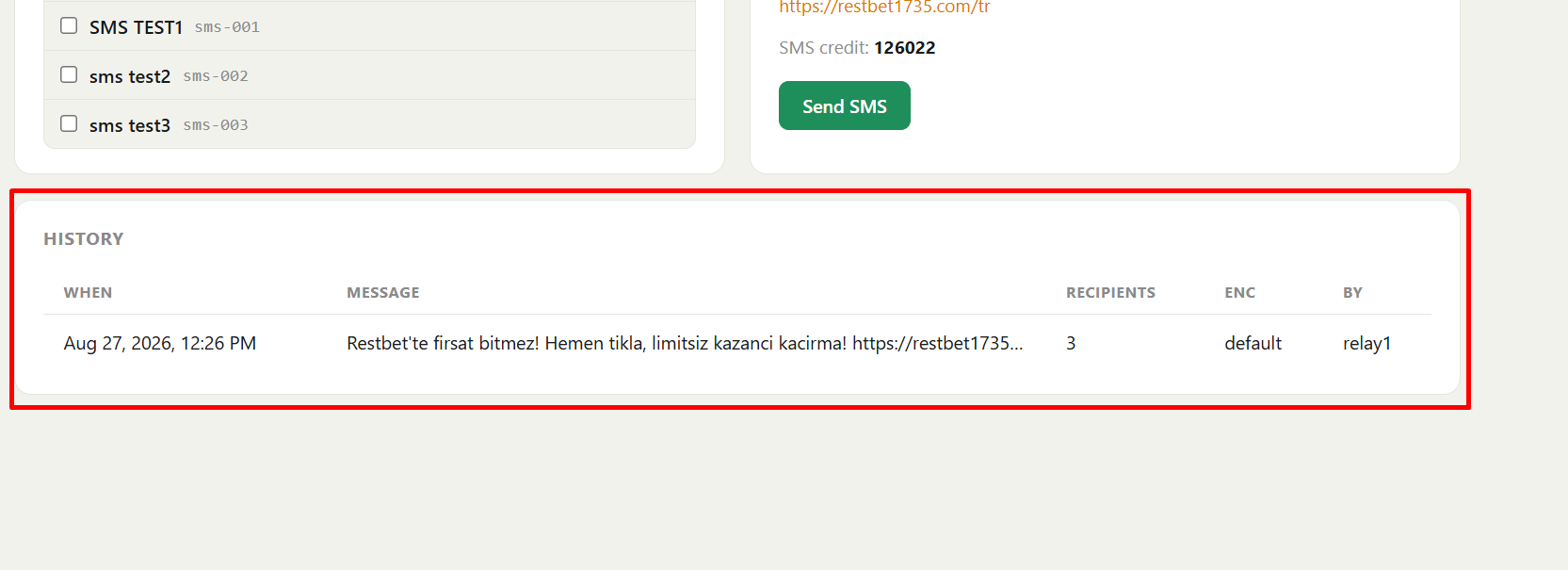
Note: Per-recipient delivery status (delivered / failed) isn't shown in this version. History records that a batch was accepted by the provider; tracking each message's delivery is planned for a later release.
Good to know
- Recipients come from your customer directory — a customer needs a stored number to be textable. Import or add customers first; see Customer directory.
- Compliance (opt-outs, consent, sender-name registration) is handled by your SMS provider and is your responsibility — Relay does not add or enforce compliance rules.
- Numbers stay hidden. Agents pick a customer; Relay resolves and sends server-side. Same guarantee as Masking & privacy.
Next steps
- Customer directory — build the list you text.
- Agents & permissions — grant an agent Send SMS.
- Administrators: Operations → SMS providers to set the providers and default.