Media
Viewing the media customers send, and sending image replies of your own.
Overview
Customers often send photos, voice notes, or documents. Relay downloads them securely and shows them right in the conversation. Agents can also send images back — if they have the permission for it.
Viewing inbound media
Media a customer sends renders inline in the thread:
- Images, video, voice notes, and PDFs display or play directly in the conversation.
- Other file types are offered as a download link.
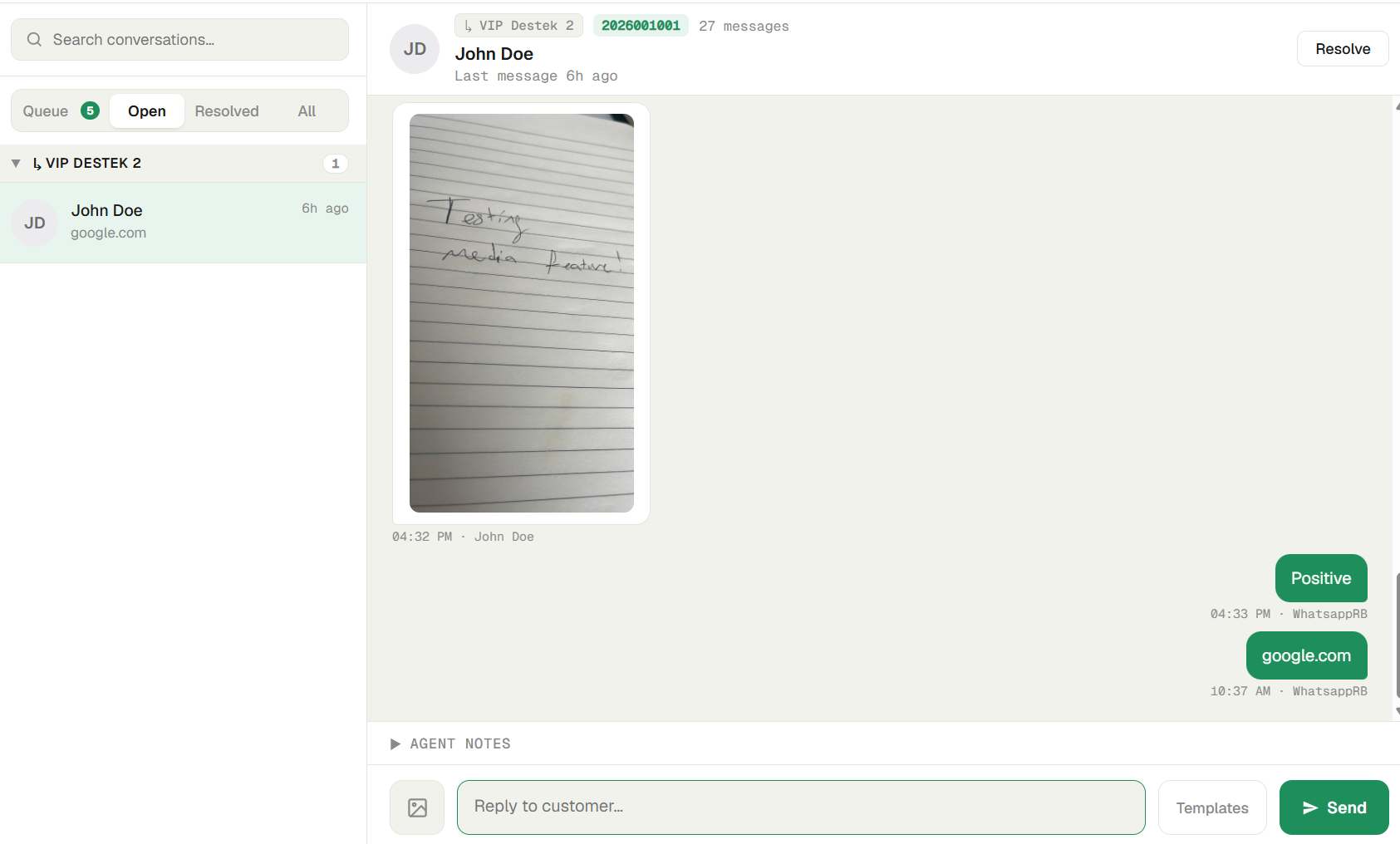
Two limits keep your server tidy:
- Files larger than 16 MB aren't downloaded — you'll see a typed placeholder instead
(e.g.
[Video]). - Stored media is removed after 60 days; older messages fall back to a placeholder. The message text and thread are never removed.
Sending an image
If your Admin has granted you the Send images permission:
-
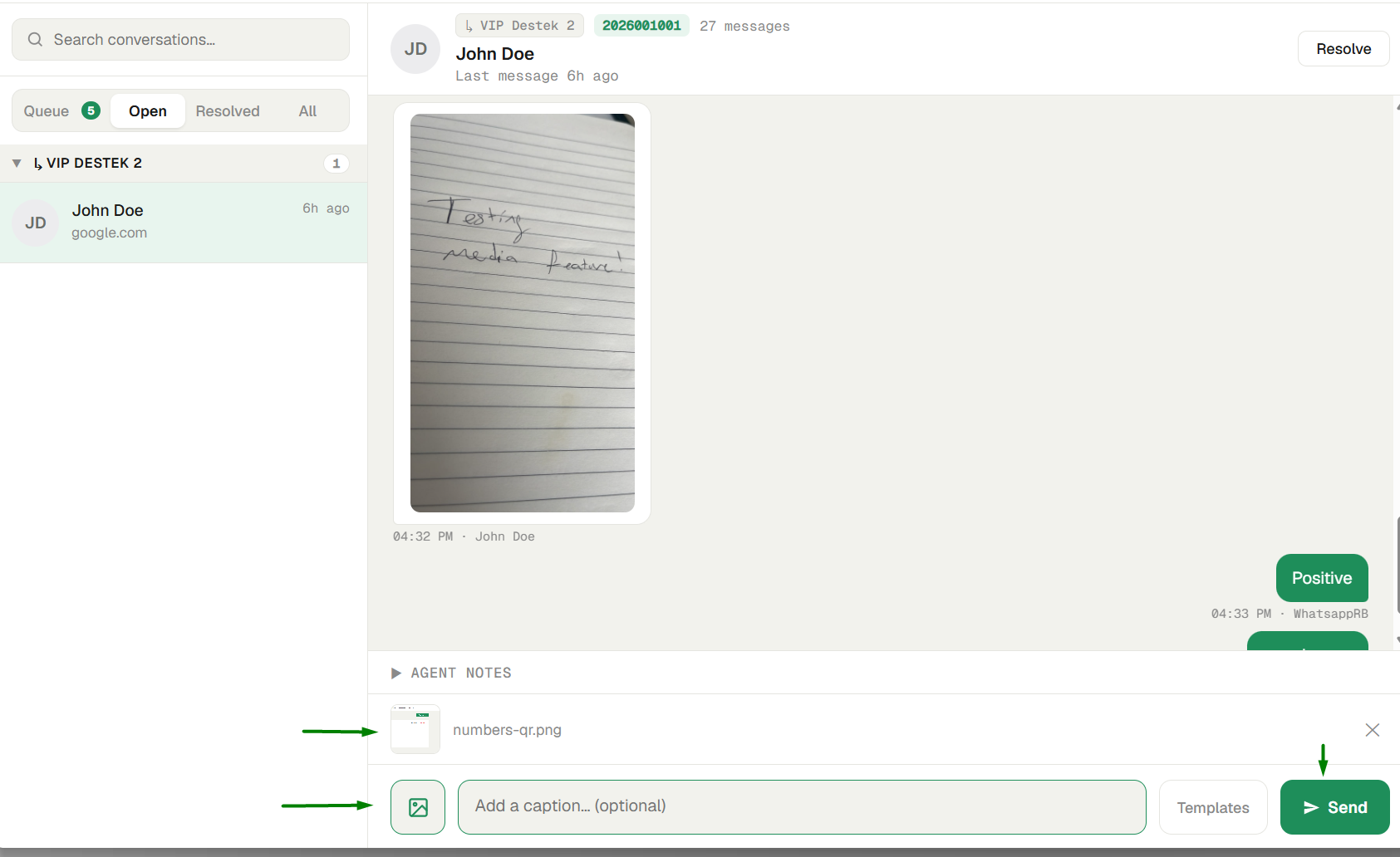
Attach an image. In an open conversation, click Attach an image (the image icon by the reply box) and pick a file — or simply paste a screenshot into the reply box.
-
Add a caption (optional). Type in the Add a caption… field if you want text with the image. Use Remove image to clear it.
-
Send. Click Send. The image is delivered on WhatsApp and appears in the thread.
Note: Only still images can be sent — PNG, JPEG, WebP, or GIF, up to 8 MB. Sending video, voice, or documents isn't supported yet. If you don't see the attach option, you don't have the Send images permission — ask your Admin.
Next steps
- Templates — send saved text replies in one click.
- Agents & permissions — where Send images is granted.