Admin inbox
Read and reply to any workspace's conversations from one inbox.
Overview
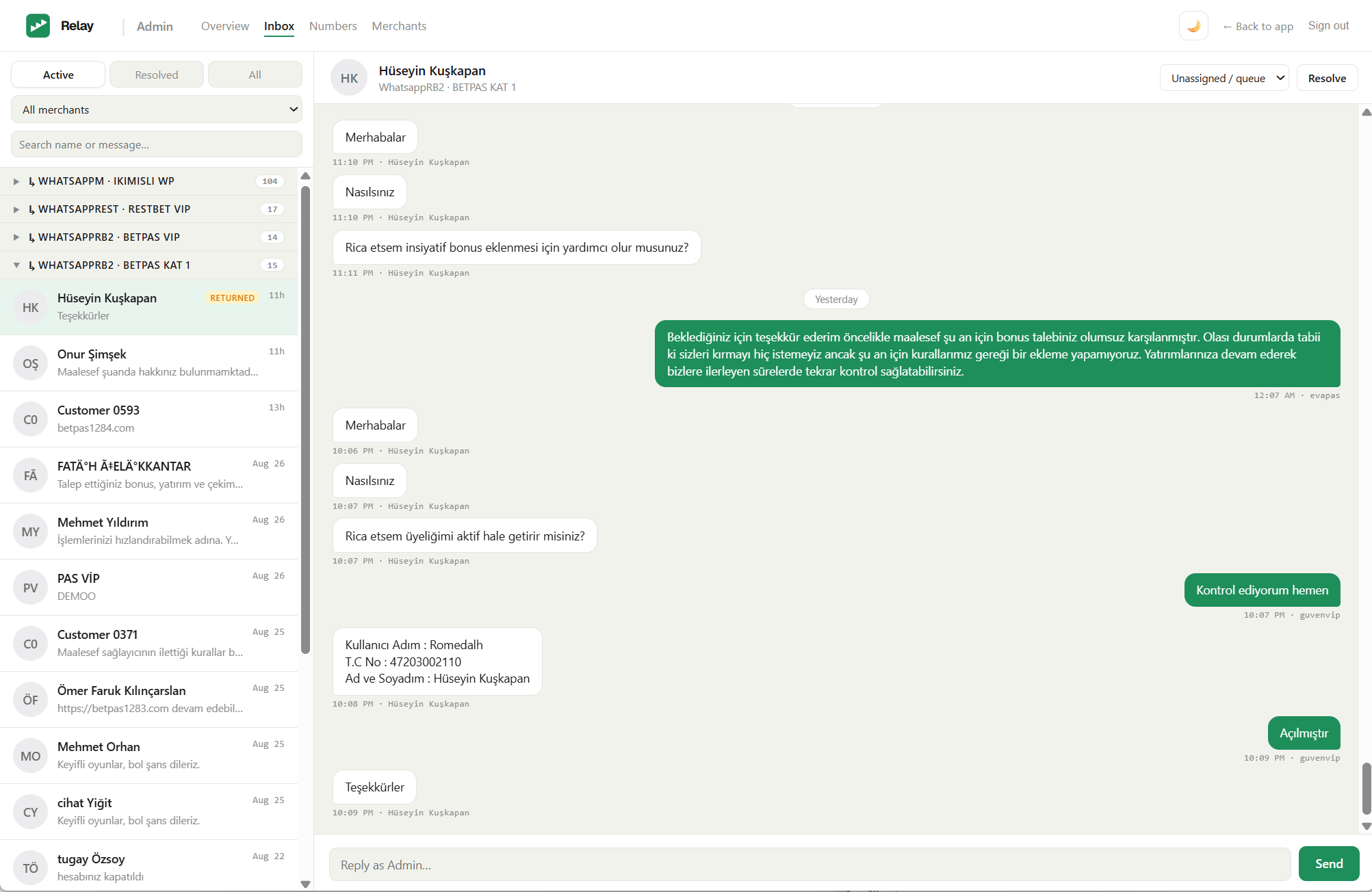
The Admin inbox (Admin panel → Inbox) gives the Super-admin a single inbox across every workspace — for covering a team, checking on a conversation, or stepping in when no agent is free. You can read threads, reply, reassign, and resolve, all from here, and everything you send is attributed to Admin.
Like the rest of Relay it is masked: conversations show the customer's directory name — or a masked alias such as Customer 0007 if they aren't in the directory — never a phone number.
Finding a conversation
The list on the left covers all workspaces at once, and keeps the classic tabs:
- Active / Resolved / All tabs.
- An All workspaces filter to narrow to a single workspace.
- Search by name or message text.
Conversations are grouped by the number the customer wrote to, each group headed by workspace · number (click a header to collapse it) — the same grouping agents see, so a chat's origin is always clear. A Returned badge marks a conversation that has bounced back to its queue.
Replying and acting
Open a conversation to see the whole thread — with day dividers, and the exact time on hover. Then:
- Reply — type in Reply as Admin… and send. The message goes out on WhatsApp from the number the customer wrote to, and is recorded as sent by Admin.
- Reassign — the dropdown lists that workspace's agents (plus Unassigned / queue); pick one to hand the chat over, or return it to the pool.
- Resolve / Reopen — close a conversation, or bring it back, exactly as an agent would.
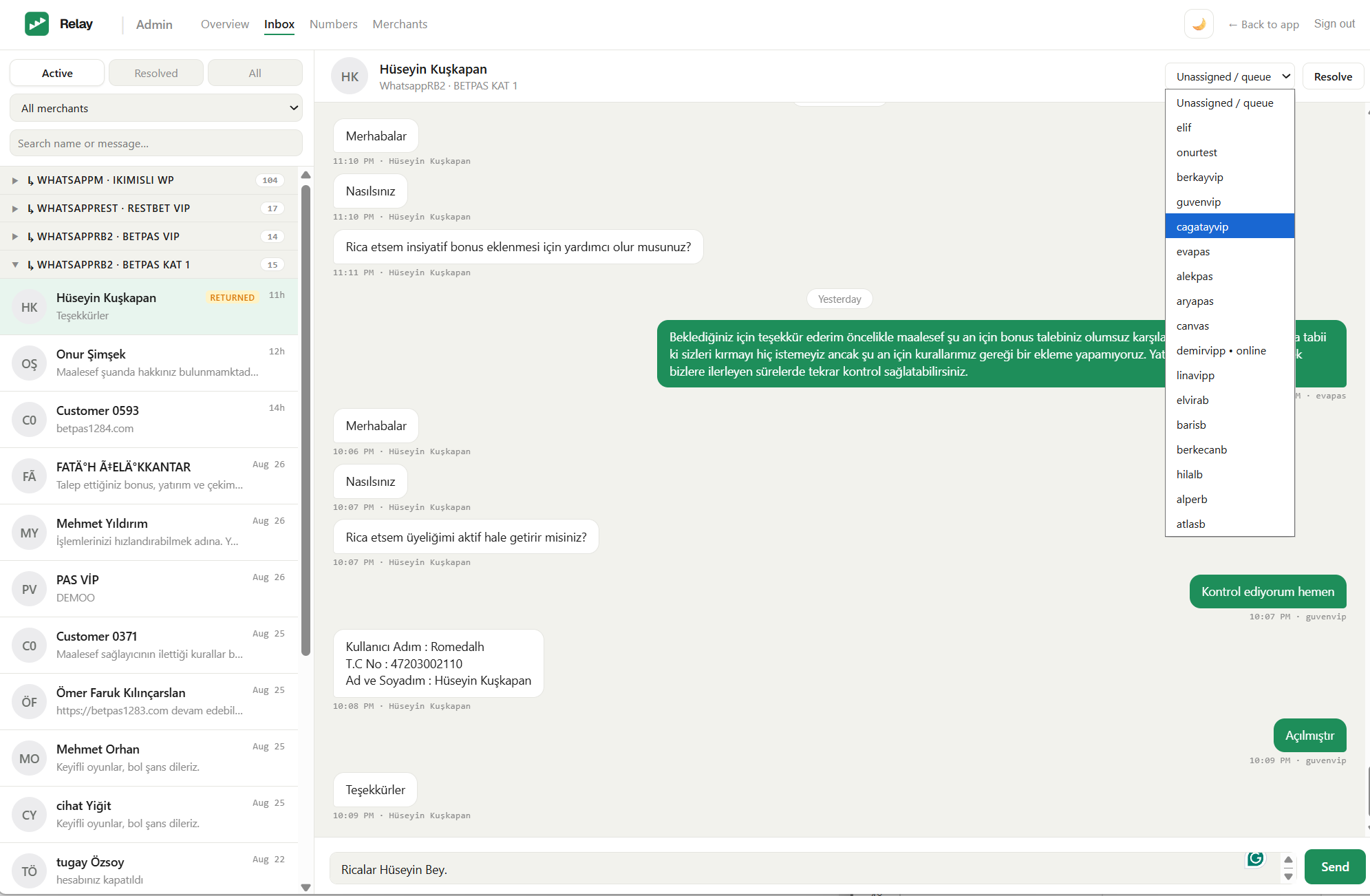
Note: Acting here reaches into a workspace on the customer's behalf, so use it deliberately — replies and reassignments are real and immediate. Inbound media (images, voice, video, documents) is shown inline.
Next steps
- Operations console — numbers and health across every workspace.
- Masking & privacy — what stays hidden, and from whom.